Introducing Memos: One Document to Tie All Other Documents Together
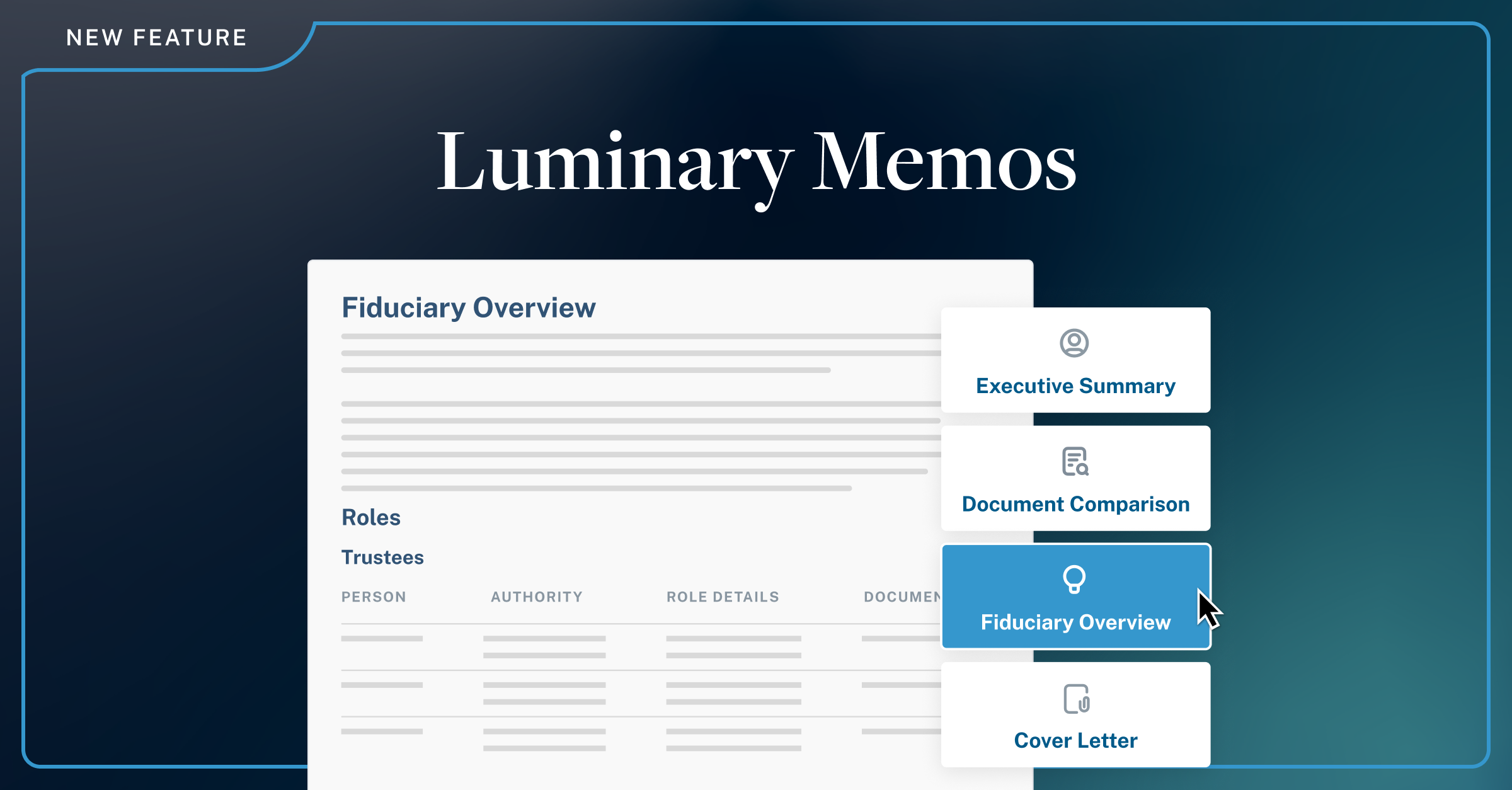

Introducing Luminary Memos, new tab on the Documents page, Memos gives advisors and attorneys a dedicated surface to generate four types of client-ready, cross-plan documents: a Cover Letter, Document Comparison, Executive Summary, and Fiduciary Overview.
When a client's estate plan contains multiple trusts, layered strategies, and intricate fiduciary relationships, the most important documents are often the ones that tie it all together. Until now, producing those documents meant leaving Luminary entirely — stitching together content from multiple sources in Word or Google Docs, manually cross-referencing entities, and hoping nothing fell through the gaps.
Luminary Memos changes that. A new tab on the Documents page, Memos gives advisors and attorneys a dedicated surface to generate four types of client-ready, cross-plan documents: a Cover Letter, Document Comparison, Executive Summary, and Fiduciary Overview. Each is powered by Luminary's underlying knowledge graph, the same structured data that already maps every trust, entity, role, and strategy in the household.
The Last Mile of Every Client Engagement
Every estate plan needs supporting documents that tell the story: a cover letter that frames the engagement, an executive summary for the annual review, a comparison memo before updating trust agreements. These documents can take hours to produce because they require synthesizing information scattered across multiple trusts, entities, and fiduciary roles.
Firms using general-purpose AI tools for client memos usually results in spending nearly as much time fact-checking and correcting the output as they would have spent writing from scratch. The underlying problem is context: generic tools don't understand the client's estate plan, so they fill in the gaps with approximations.
But the information already exists within Luminary's knowledge graph, powering visualizations, beneficiary reports, and balance sheets. Memos puts it to work.
From Data to Client-Ready Memos in Minutes
Memos surfaces four ready-to-use memo types, each built entirely from actual client data and generated in seconds.

- Cover Letter: Generates a professional letter summarizing the estate plan's structure, key strategies, and next steps, ready to accompany a document packet for new or returning clients.
- Document Comparison: Compares two documents from the household, such as two revocable trust agreements, and produces a structured memo highlighting substantive differences, drafting irregularities, and open questions.
- Executive Summary: Produces a high-level overview of the full household covering trust structures, key fiduciaries, and planning strategies, ideal for onboarding, stakeholder meetings, or annual review conversations.
- Fiduciary Overview: Summarizes the responsibilities of key fiduciaries and decision-makers across all entities in the household, useful for ensuring roles and appointments remain current as a plan evolves.
Every memo is generated from Luminary's knowledge graph, not from generic language model outputs. The result is accurate, client specific, and grounded in the documents, entities, and roles already in the platform.
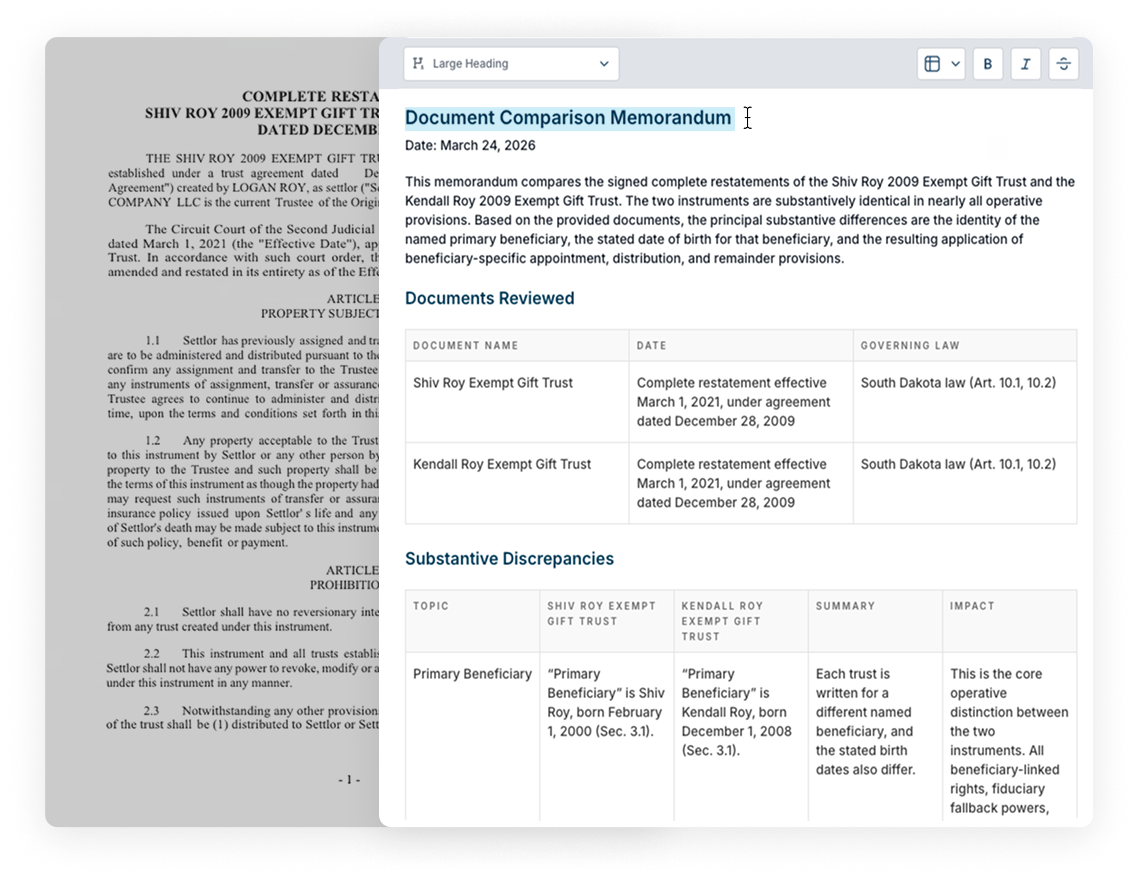
Once generated, each memo opens in a split-screen editor where advisors can refine the output side by side with the original. If the first draft needs a different emphasis — say, highlighting the charitable component of a plan — the advisor can provide additional instructions and regenerate without starting over.
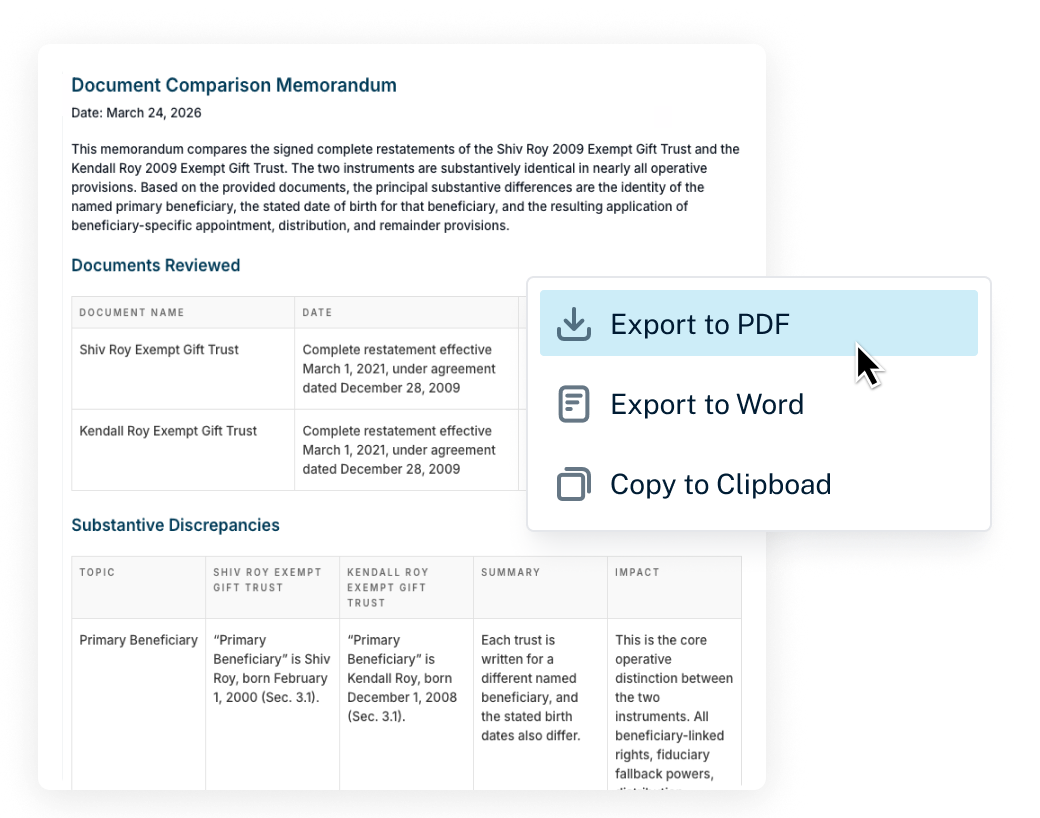
When the memo is ready, it exports as a client-ready branded PDF in the firm's own styling, a Word document, or plain text copied to clipboard. No reformatting required.
How to Get Started
- Navigate to the Documents page for any client household in Luminary.
- Click the new Memos tab.
- Select a memo type: Cover Letter, Document Comparison, Executive Summary, or Fiduciary Overview.
- Review, edit, and export your finished memo as a branded PDF or Word document.
A Foundation for What's Coming
This initial release focuses on the four memo types that advisors and attorneys use most frequently. Custom memo prompts and the ability to export memos directly into client presentations are all on the roadmap, with each addition designed to bring more of the "last mile" work inside Luminary.
Schedule a demo to see how Luminary Memos can help your team produce polished client documents without leaving the platform.